
In short: At most companies, AI adoption stops at giving employees another window where they can paste in data and wait for a response. That is useful, but it remains a passive tool: it only works when someone starts it. The bigger efficiency gains come from AI agents that are built into existing workflows and act on their own when they're needed. According to Eurostat, 20% of EU enterprises were already using some form of AI technology in 2025, and Gartner expects that by 2028 at least 15% of day-to-day work decisions will be made autonomously by AI agents. This article explains how AI used as a tool differs from AI used as a worker, how the human bottleneck disappears, and the three stages companies typically move through.
In most organizations, AI transformation means employees have been given one more software window. They paste data into it by hand and wait for an answer. That is one more passive tool among many. A noticeable leap in efficiency comes when AI agents are built into existing workflows and do their work there on their own.
This raises one of the key strategic questions for companies today: should AI be used as a tool, or relied on as a worker?
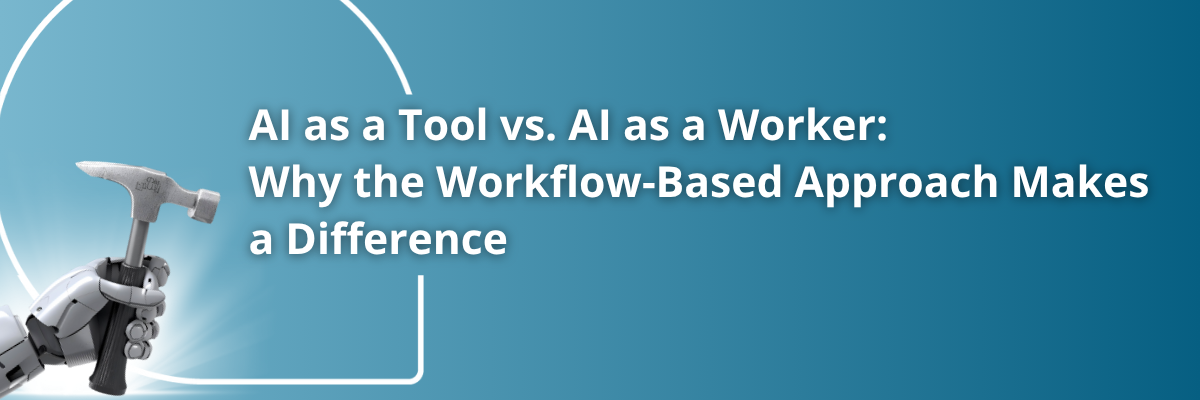
AI used as a tool is like an exceptionally advanced hammer. However sophisticated it is, it won't drive a single nail on its own. Someone has to pick it up every time.
Take an AI-based contract analysis tool used by a corporate legal team. The tool is impressively good at flagging risky clauses and suggesting changes. But someone still has to upload every new contract by hand, start the analysis, and then make a decision based on the results. The AI is useful, but it does nothing until someone asks.
Characteristics of AI used as a tool:
AI used as a worker is like handing that hammer to a robot standing on an assembly line. The AI agent becomes part of the organization's workflow: it monitors events and steps in when needed. Nobody has to start it.
Invoice processing is a good example. AI agents monitor incoming invoices, automatically match them against purchase orders, flag discrepancies, and only ask for human help when they can't resolve something themselves. The system runs around the clock without waiting for instructions.
Characteristics of AI used as a worker:
The difference shows up in practice. AI agents built into workflows deliver major efficiency gains in three areas.
When AI is only a tool, human capacity is still the limit. Even the most advanced AI tool delivers nothing if the user has no time to open it.
A common situation: if a buyer has to start the supplier risk analysis by hand, the task easily gets pushed aside by daily work, and risks go unnoticed. A workflow-based AI agent monitors suppliers continuously in the background and alerts automatically, so far fewer problems slip through.
AI used as a tool only works while someone is using it. An AI agent built into the workflow can run 24 hours a day, seven days a week.
This matters most at night and on weekends. If analysts only run a fraud detection tool during business hours, anomalies outside those hours can easily go unnoticed. A continuously active AI agent covers that blind spot as well.
AI used as a tool makes people faster. AI used as a worker goes further and reshapes roles. AI agents take over routine tasks, and professionals can spend their time on important decisions and strategic work.
Workflow-based AI agents are introduced step by step. Most companies go through three stages.
At first, AI agents only work in isolated, low-risk areas such as routine data entry or simple categorization. They already run on their own, but their impact is still limited.
In the next step, AI agents handle full processes, for example from supplier registration through risk assessment to contract drafting. At this stage the efficiency gains become significant.
At the most advanced level, AI agents also learn and adapt while they execute. They work with each other, refine processes, and suggest improvements on their own.
Most companies today are somewhere between the first and second stage. Eurostat data shows that 20% of EU enterprises used some form of AI technology in 2025, up from 13.5% a year earlier. Adoption is growing fast, but most of it is still at tool level.
Going step by step also matters because rushed, poorly planned rollouts often fail. Gartner predicts that over 40% of agentic AI projects will be canceled by the end of 2027 due to escalating costs, unclear business value, or inadequate risk controls. Companies that start with a well-defined process and expand based on measurable results are much more likely to avoid this.
Most AI solutions today still follow the tool model: they offer advanced features, but someone has to start them every time. Fluenta One takes a different route. The platform's AI agents are built directly into workflows, so they can work on their own.
Fluenta One's AI agents take an active part in procurement processes:
Whether AI is used as a tool or as a worker ultimately depends on how much value we expect from the technology. AI used as a tool is useful but limited. An AI agent built into the workflow works on its own, removes bottlenecks, and frees up people's time for strategic work.
That is why the most successful companies build workflow-based AI agents into how they operate. This is exactly what the Fluenta One platform makes possible: AI becomes smarter and more autonomous, and works alongside the team as a full digital workforce.
As the technology develops, the question is less and less whether to use AI. It is how to build AI agents into our workflows. The answer will largely shape companies' competitiveness over the next decade.
What is the main difference between AI used as a tool and AI used as a worker?
AI used as a tool always waits for a person: someone has to upload the data, start the analysis, and interpret the result. A workflow-based AI agent monitors processes on its own, acts by itself, and only hands exceptional cases over to a person.
What does the human bottleneck mean in procurement?
It's the situation where an AI tool is only useful if someone starts it. Because that step is easily skipped amid daily work, the AI's capabilities go unused. An AI agent built into the workflow runs continuously, so it doesn't depend on whether someone has time to start it.
What three stages do companies go through when introducing AI agents?
First, isolated, low-risk automation islands appear, for example in data entry. Next, AI agents handle full process chains, for example from supplier registration to contract drafting. In the third stage an adaptive ecosystem develops, in which agents learn, adapt, and suggest improvements on their own.
Why isn't it enough to introduce an advanced AI tool?
Because a tool's value depends on the user's time and expertise. If daily work leaves no time to use the tool, its built-in intelligence goes unused, however advanced the tool is.
Where do companies stand with AI adoption today?
According to Eurostat, 20% of EU enterprises used some form of AI technology in 2025, compared with 13.5% a year earlier. Most companies are between the first and second stage: they already have automations that run on their own, but these aren't yet connected into full processes.
What should a company watch out for when introducing AI agents?
A gradual approach and measurable business value. Gartner expects over 40% of agentic AI projects to be canceled by the end of 2027 because of costs, unclear value, or inadequate risk controls. It's worth starting with a well-defined, frequently repeated process and expanding based on the results.
.png)
.png)
.png)



.png)